1. Download Ollama from https://ollama.com/download
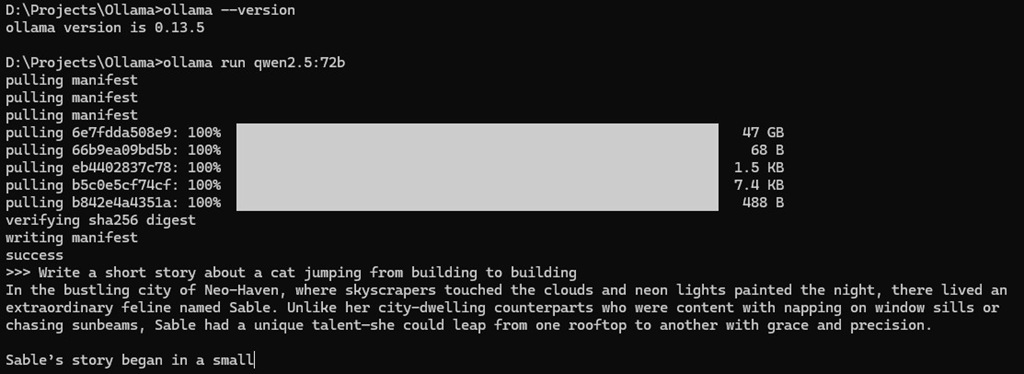
2. To download and run the model, use the command:
ollama run qwen2.5:72b
3. Once model download is completed, just type your prompts!
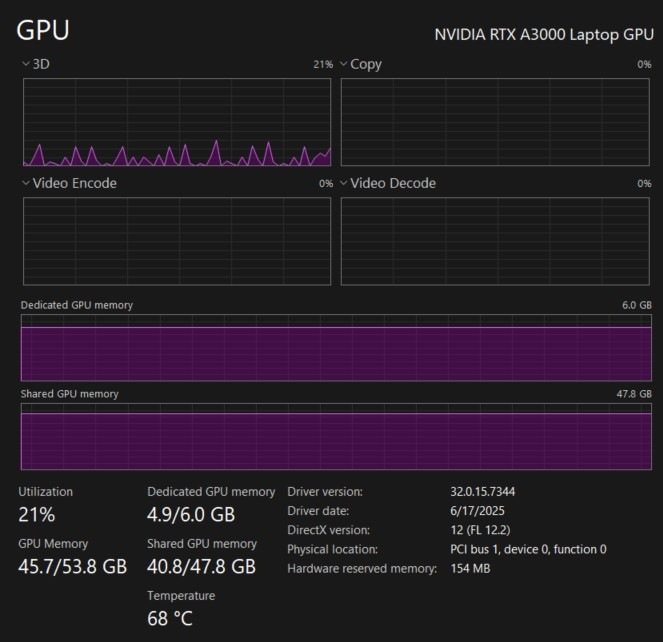
Meanwhile, my poor GPU
Next, here is a bonus.
Access the model from a LangChain python script.
Your Ollama service is already running at http://localhost:11434/
Install dependencies:
pip install langchain-ollama
Create a test_client.py program:
from langchain_ollama import ChatOllama
from langchain_core.prompts import ChatPromptTemplate
from langchain_core.output_parsers import StrOutputParser
import time# 1. Configuration
# We use the specific model tag you pulled in Ollama
MODEL_TAG = “qwen2.5:72b”print(f”— Connecting to Local Ollama ({MODEL_TAG}) —“)
# 2. Initialize the Model
# ‘temperature=0’ makes the model precise/deterministic (good for coding/logic)
llm = ChatOllama(
model=MODEL_TAG,
temperature=0,
)# 3. Define the Prompt
# We ask a question that requires a bit of “thinking” to prove the 72B model is working
prompt = ChatPromptTemplate.from_messages([
(“system”, “You are an expert Python Backend Developer. Be concise.”),
(“user”, “{question}”)
])# 4. Create the Chain using LCEL (Modern Syntax)
# Prompt -> LLM -> Output Parser (converts raw AI message to string)
chain = prompt | llm | StrOutputParser()# 5. Run the Experiment
question = “Explain the difference between GraphQL and REST in one bulleted list.”print(f”Sending Query: ‘{question}’…”)
start_time = time.time()# invoke() runs the chain
try:
response = chain.invoke({“question”: question})
end_time = time.time()
duration = end_time – start_time
print(“\n— Model Response —“)
print(response)
print(“———————-“)
print(f”Success! Generated in {duration:.2f} seconds.”)except Exception as e:
print(f”\nError: Could not connect to Ollama. Make sure ‘ollama serve’ is running.\nDetails: {e}”)
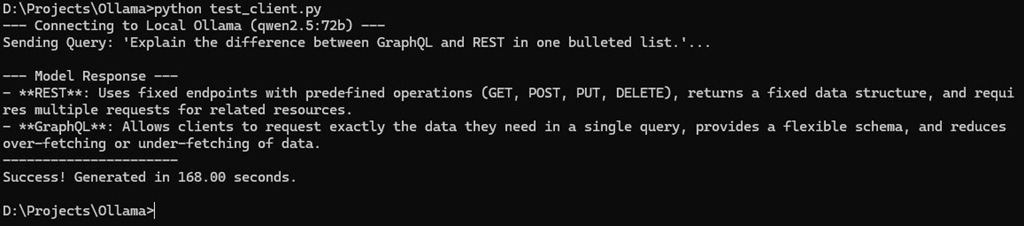
Then, run!
python test_langchain.py